Assembly and light manufacturing
Combine stocked components into a finished product with its own inventory.
Production management in Gestix ERP
Keep stock accurate as components become finished products. Define what you produce, allocate components and receive finished goods into inventory, within the Gestix ERP for SMEs in multi-store retail, distribution, assembly and production.
Gestix Production Management supports straightforward assembly, transformation and repackaging where components become a product with its own stock. It suits recurring products with known component requirements.
Combine stocked components into a finished product with its own inventory.
Transform bulk goods into separately stocked units, using the component quantities required for each unit.
A Product Template defines the components and per-unit quantities needed to make a product. Reuse it to reduce repeated entry for products you make regularly.
Production Orders can also be prepared by entering the product and components directly, without a reusable template.
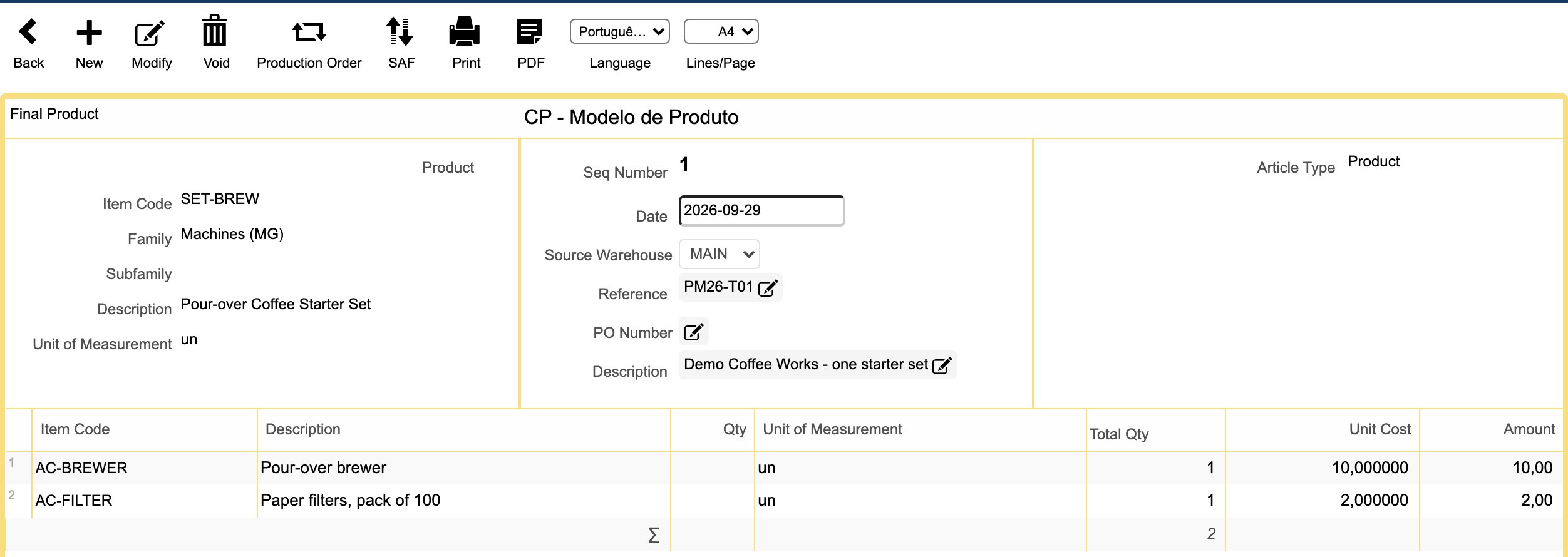
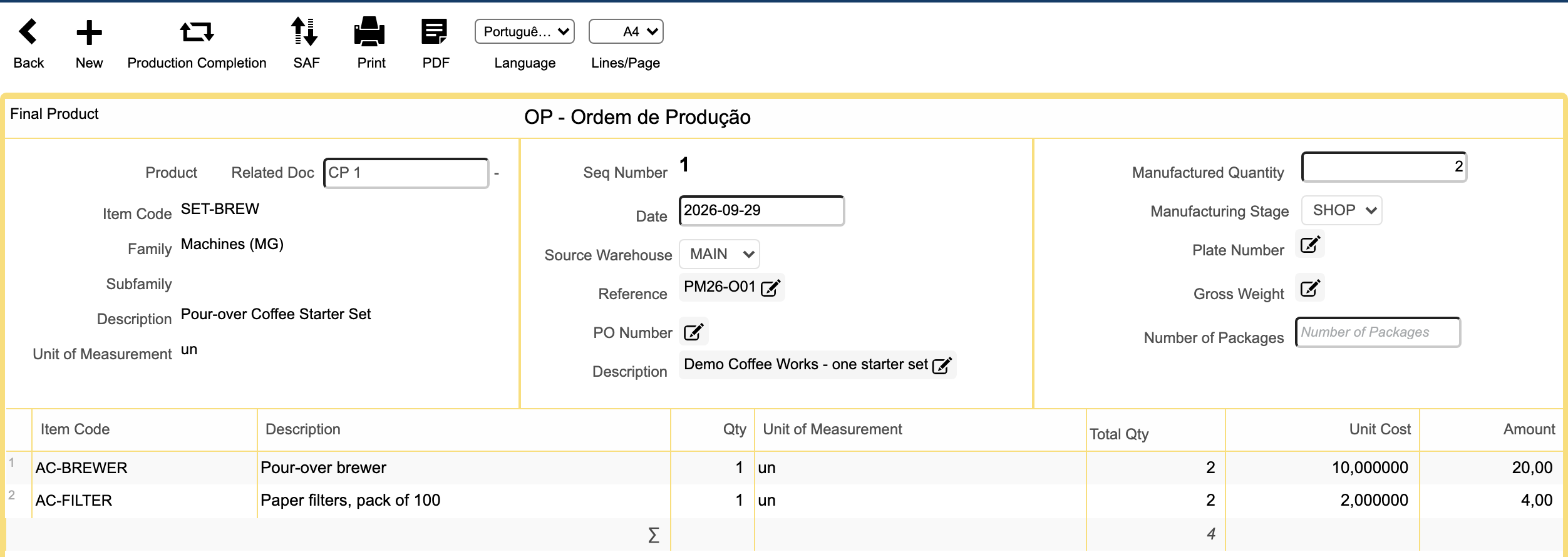
A Production Order records the product, quantity to produce and required components. Registering it allocates stocked components to the configured production-stage warehouse/location and records the finished quantity as pending production.
Allocated components remain in inventory but move from the source warehouse to the production location. They are consumed only when production is completed.
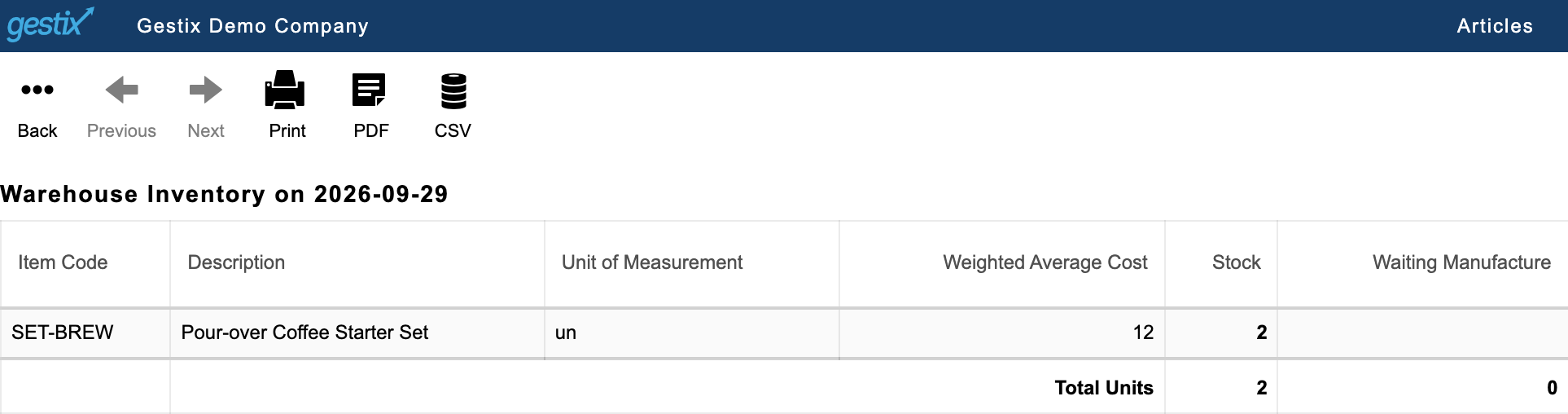
Production Completion consumes the allocated components, receives the finished product into the selected destination warehouse and closes the Production Order. The finished quantity moves from pending production into stock.
Production uses the same Gestix inventory management as your other operations, connecting component allocation and consumption with finished-product receipt.
A coffee starter set uses one pour-over brewer and one pack of filters. For a production run of two sets, Gestix allocates two brewers and two filter packs to production.
When production is completed, those components are consumed and two finished coffee starter sets enter inventory.
Choose according to how you need to hold inventory. Physical packing can take place in either case.
Use a Kit to enter several items or services together. In applicable documents, the Kit expands into component lines. The Kit itself does not become independently produced inventory.
Use Production Management when components are converted, assembled or repackaged into a finished product that needs its own inventory.
Tell us what you produce, which components you use and where you hold stock. We will help you assess the appropriate Gestix edition and configuration.